Lesson 17 — Negative Space and Silence in an Image
Negative space in photography is not “empty background.” Instead, it is an active design tool that shapes attention, pacing, and emotion. When you leave room to breathe, you also give the subject a clearer voice. In many images, what you remove matters as much as what you include.
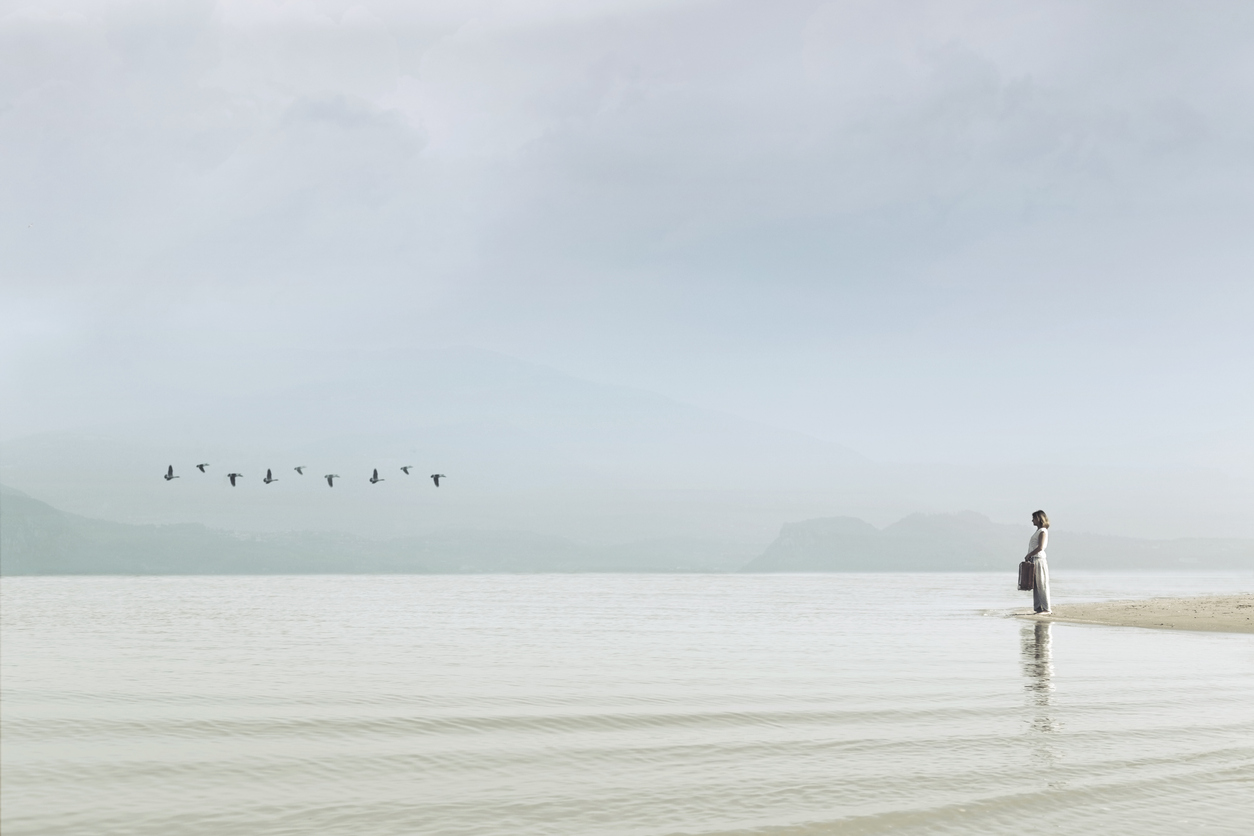
1) What Negative Space Really Means
Negative space in photography is the area that surrounds and supports your subject. It can be sky, wall, fog, water, shadow, blur, or any quiet field of tone. Importantly, it is not “wasted space.” Rather, it is a compositional decision that controls emphasis.
When negative space is intentional, the subject becomes more legible. Consequently, the viewer understands where to look and how to feel.
2) Silence as a Visual Experience
Silence in an image is felt as stillness, openness, or pause. In other words, negative space slows the viewer down. Instead of scanning a crowded frame, the eye settles. Therefore, the image can feel meditative, intimate, or timeless.
However, silence can also feel lonely or tense. That emotional direction depends on context, subject matter, and tone.
3) Negative Space and Visual Weight
Negative space does not mean “no weight.” Large quiet areas can balance a strong subject. For example, a small bright subject can feel powerful against a wide dark field.
As a result, negative space in photography often supports asymmetry: one heavy element balanced by a broad, quiet counterweight.
4) Clarity: The Main Benefit of Empty Space
When photographers struggle with composition, the problem is often too many competing signals. Negative space reduces noise. Consequently, the viewer can read shape, gesture, and meaning faster.
If the frame feels confusing, simplify. Remove a distraction, change your angle, or use a longer focal length to isolate. In practice, clarity often arrives through subtraction.
5) Common Mistakes with Negative Space
- Accidental emptiness: space that looks unintentional or careless.
- Dead space: large blank areas that add nothing to balance or mood.
- Edge distractions: small bright objects that pull the eye away from the subject.
- Ambiguous subject: too small, too low contrast, or not clearly separated from the background.
Therefore, the goal is not “more empty space.” The goal is meaningful space.
6) Practical Field Methods
- Start wide, then simplify: make one wide frame, then remove elements one by one.
- Use clean backgrounds: sky, water, wall, fog, snow, shadow.
- Increase separation: step sideways or change height to isolate the subject.
- Check edges: scan the border for bright or sharp distractions.
- Commit to a mood: decide whether the space should feel calm, lonely, or tense.
As a result, negative space in photography becomes an intentional language, not a lucky accident.
Hands-On: Three Degrees of Silence
- Create a frame with minimal negative space (subject with context).
- Create a frame with moderate negative space (subject emphasized).
- Create a frame with dominant negative space (subject small, mood amplified).
Keep the same subject. Change only your framing and distance. Then evaluate which image feels most intentional.
Quick Check (3 Questions)
- What is negative space in photography, and why is it not “empty”?
- How can negative space change the emotional tone of a photograph?
- What is one fast way to improve clarity when a frame feels busy?
Glossary
- Negative Space
- The area surrounding the subject that supports emphasis, balance, and mood.
- Silence
- A perceptual pause created by simplicity and open visual fields.
- Visual Weight
- The perceived dominance of an element based on brightness, contrast, color, sharpness, or meaning.
- Clarity
- How quickly and cleanly the viewer understands the subject and structure of an image.
Continue in Learn → View all Learn lessons
Jump to: Learn Envision Create
References
- Cambridge in Colour — Composition fundamentals (space & simplicity)
- Associated blog(s): Lesson 16 — Balance, Symmetry, and Tension
- Associated blog(s): Envision — Stillness in Photography